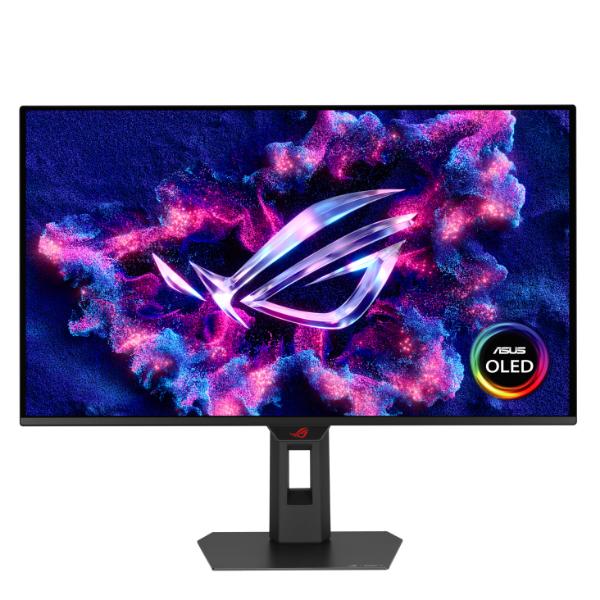
ASUS ROG Strix OLED XG27ACDMS Gaming Monitor – Black
Brand: Asus
SKU: XG27ACDMS
Price: ₹59,999 (inclusive of GST · genuine product with warranty)
26.5-inch QHD (2560 x 1440) QD-OLED gaming monitor with 280 Hz refresh rate and 0.03ms response time New ASUS OLED Care Pro functions with Neo Proximity Sensor that precisely detects when the user is away, switching to a black screen to reduce the risk of burn-in VESA DisplayHDR 400 True Black compliance, 99% DCI-P3 gamut, true 10-bit color, and Delta E < 2 color difference for astonishing HDR performance, making it perfect for photo and video editing Exclusive ASUS DisplayWidget Center
Specifications
| color | Black |
|---|---|
| Warranty | 3 Years |
| Resolution | 2560 * 1440 |
| Screen Size | 27 |
| Display Type | QHD |
| Refresh Rate | 280Hz |
| Display Panel | OLED |
| Response Time | 0.03ms |
| EAN / UPC Code | 4711387871348 |
About this product
ASUS ROG Strix OLED XG27ACDMS Gaming Monitor, 280 Hz, 0.03 ms, Custom Heatsink, Neo Proximity Sensor, Uniform Brightness, G-SYNC Compatible – Black
Supersmooth Visuals
Designed for discerning gamers and professional creators, it offers a refresh rate of 280Hz and 0.03ms gray-to-gray (GTG) response time for supersharp and fluid visuals.
Screen Protection
ASUS OLED CARE PRO
New ASUS OLED Care Pro technology provides a full set of customizable monitor settings to protect the OLED panel and ensure longevity. Plus, it includes the new Neo Proximity Sensor that detects your distance from the monitor and transitions to a black image when you’re away to safeguard the panel from burn-in. All settings can be easily managed via DisplayWidget Center.
Neo Proximity Sensor
The built-in Neo Proximity Sensor precisely detects your distance from the monitor. When you step away, the monitor transitions to a black image to protect against panel burn-in, and instantly restores onscreen content when you return. Detection distance can be customized to suit personal preference, ensuring maximum convenience and protection.
Pixel cleaning
Recalibrates the screen when the monitor has been active for several hours―a process that takes just a few minutes and activates automatically when the monitor is turned off* *Do not unplug the power cord during this time as it will interrupt the pixel-cleaning process.
SCREEN MOVE
Pixel locations are slightly shifted periodically to help prevent burn-in, and users can choose between several movement levels.
Boundary detection
Dynamically detects the boundary of the black bars and reduces the brightness and also slightly shifts the pixel of the near borders.
SCREEN SAVER OFF
SCREEN SAVER ON
SCREEN SAVER
Automatically dims the screen after two minutes of inactivity.
Adjust Logo Brightness OFF
Adjust Logo Brightness ON
Buy online at https://www.rj-quantum.com/products/asus-rog-strix-oled-xg27acdms — secure checkout with UPI, cards & net-banking, GST invoice on every order, delivery across India.