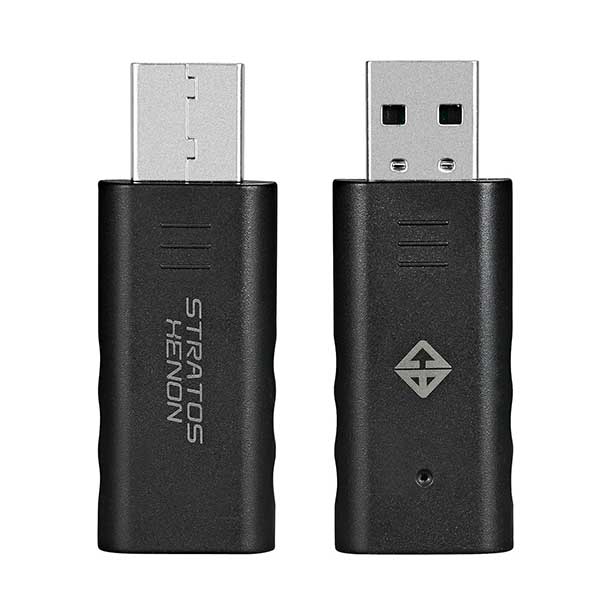
Cosmic Byte Stratos Xenon & Quantum Gamepad Dongle (Black)
Brand: Cosmic Byte
SKU: TCBP03418
Price: ₹329 (inclusive of GST · genuine product with warranty)
This dongle allows the Stratos Xenon or Quantum Gamepad to work with PC directly as X-input or D-input gamepad. Does not require third party software for the gamepad to work with PC. Works as any other windows gamepad.
Specifications
| color | Black |
|---|---|
| Warranty | 1 Year |
| Product Type | Normal |
| EAN / UPC Code | 8906107601930 |
| Connection Type | wireless |
About this product
Cosmic Byte Stratos Xenon & Quantum Gamepad Dongle (Black)
Feature
Cosmic Byte Stratos Xenon & Quantum Gamepad Dongle (Black) allows the Stratos Xenon or Quantum Gamepad to work with PC directly as X-input or D-input gamepad.
Does not require third party software for the gamepad to work with PC.
Works as any other windows gamepad.
PAIRING THE DONGLE TO STRATOS XENON CONTROLLER FOR THE 1ST TIME ON PC Plug the dongle to the USB port of the PC. The Blue LED on the dongle will start blinking. Press the “Share + Home” button on the controller for 3 seconds, The white led light on the controller will blink 4-5 times before it turns to blue and connects with the dongle. The Blue LED on the dongle will stop blinking. The controller is now ready for use.
CHANGING BETWEEN X-INPUT AND D-INPUT MODE Press the “Share + Options” button on the controller for 2 seconds to switch between X-input and D-input mode.
Cosmic Byte Stratos Xenon & Quantum Gamepad Dongle (Black) for PC This dongle allows the Stratos Xenon and Quantum Gamepad to work with PC directly as X-input or D-input gamepad.
Does not require third party software for the gamepad to work with PC.
Works as Xbox windows gamepad.
PAIRING THE DONGLE TO STRATOS XENON/QUANTUM CONTROLLER FOR THE 1ST TIME ON PC
Plug the Cosmic Byte Stratos Xenon & Quantum Gamepad Dongle (Black) to the USB port of the PC. The Blue LED on the dongle will start blinking.
Press the “Share + Home” button on the controller for 3 seconds, The white led light on the controller will blink 4-5 times before it turns to blue and connects with the dongle.
The Blue LED on the Cosmic Byte Stratos Xenon & Quantum Gamepad Dongle (Black) will stop blinking.
The controller is now ready for use.
CHANGING BETWEEN X-INPUT AND D-INPUT MODE
Press the “Share + Options” button on the controller for 2 seconds to switch between X-input and D-input mode.
Buy online at https://www.rj-quantum.com/products/cosmic-byte-stratos-xenon-quantum-gamepad-dongle-black — secure checkout with UPI, cards & net-banking, GST invoice on every order, delivery across India.